Payment Network
Dukupay
A payment network that moves money straight from one bank account to another — consumer checkout or business settlement, with no cards and no card fees.
- Open Banking
- Digital Payments
- Pay by Bank
- Merchant Payments
- Tap to Pay
- Payment Network
- My role
- Product design, architecture, and full-stack build
- The project
- A payment network for accepting payments without card rails
- Product focus
- Bank-to-bank payment acceptance
<Product Overview/>
Card networks were built for plastic in a shop. Dukupay moves money the way it already moves between banks — directly, and for a fraction of the cost.
The problem
Accepting payments means renting someone else's rails. Card networks take a percentage of every sale, hold funds for days, and add chargeback risk on top. For businesses with thin margins or large ticket sizes, the processing fee is one of the biggest line items they never chose.
The solution
Dukupay lets a business accept payment directly from the customer's bank account. The customer approves the payment in the banking app they already use, the funds move bank to bank, and the merchant keeps what would have gone to interchange. No card number ever changes hands.
The approach
Every bank exposes its own interface, so Dukupay puts a uniform layer over them: one integration for the merchant, many adapters underneath. Authorization, settlement, and reconciliation are modeled as explicit states, so a payment's position is always known rather than inferred.
What it delivers
Lower cost per transaction and faster access to funds. Payments are authorized by the account holder in their own banking app, which removes card fraud and chargebacks from the equation, and every transaction reconciles against the bank record it came from.
<Product Features/>
The core capabilities the network provides to merchants and their customers.
Pay by Bank Checkout
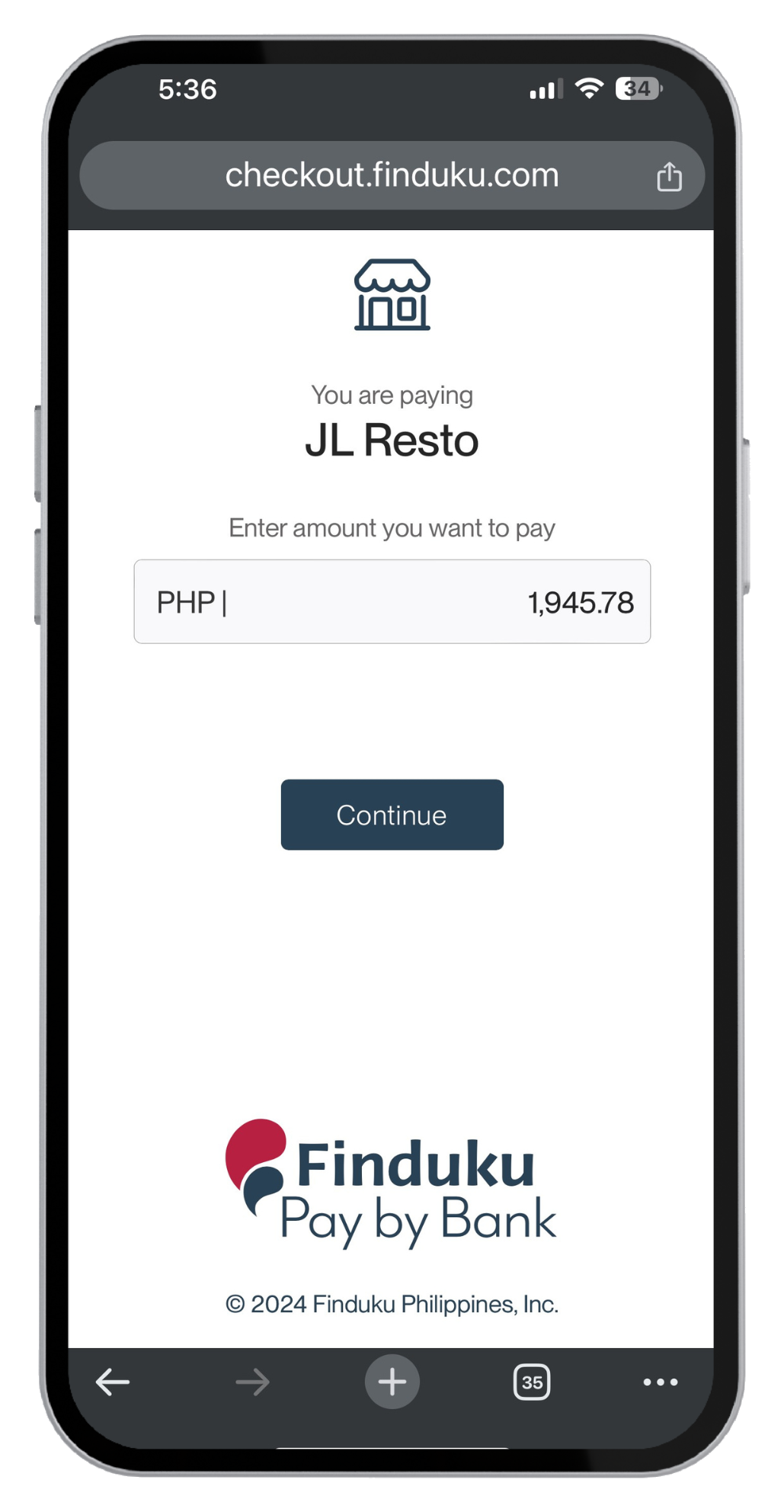
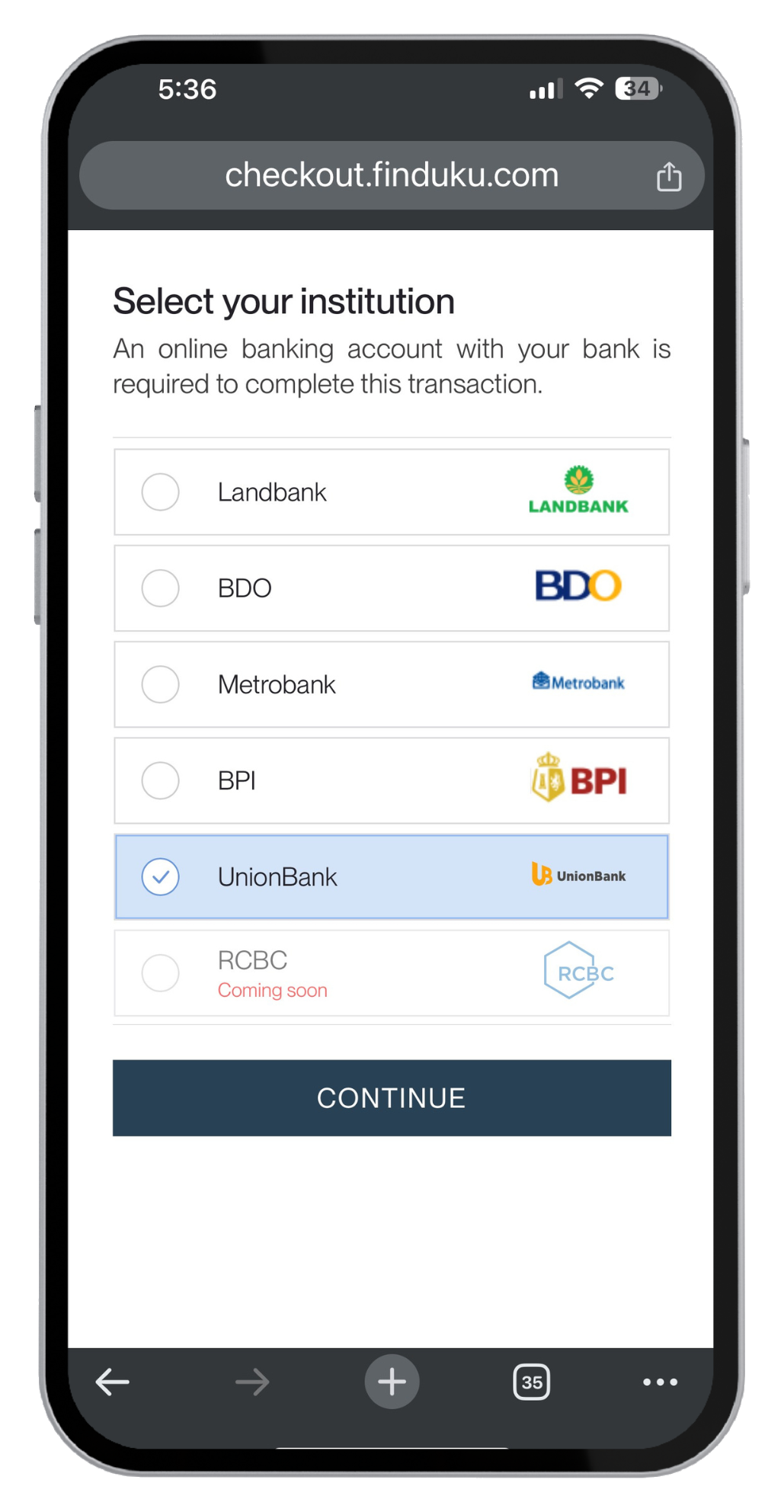
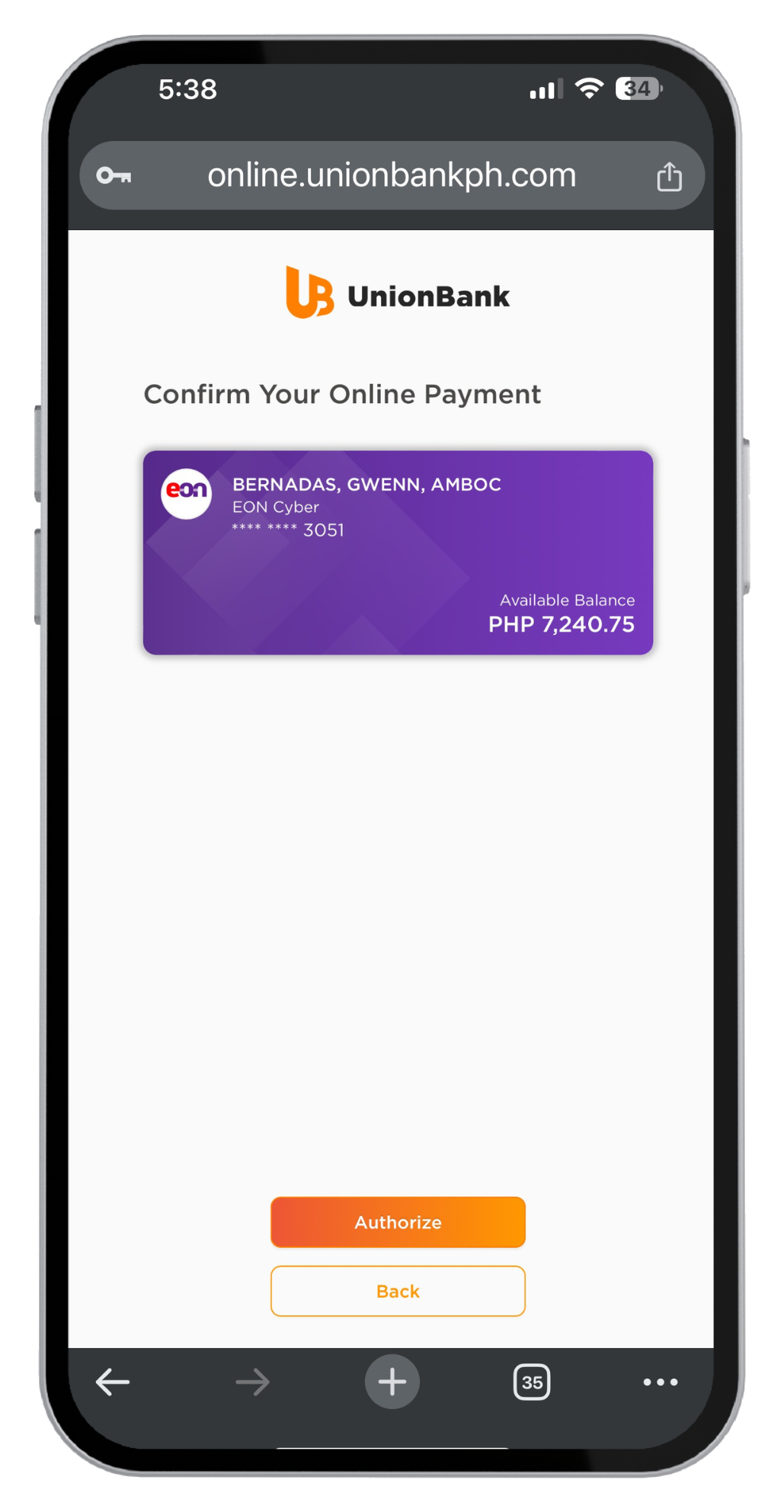
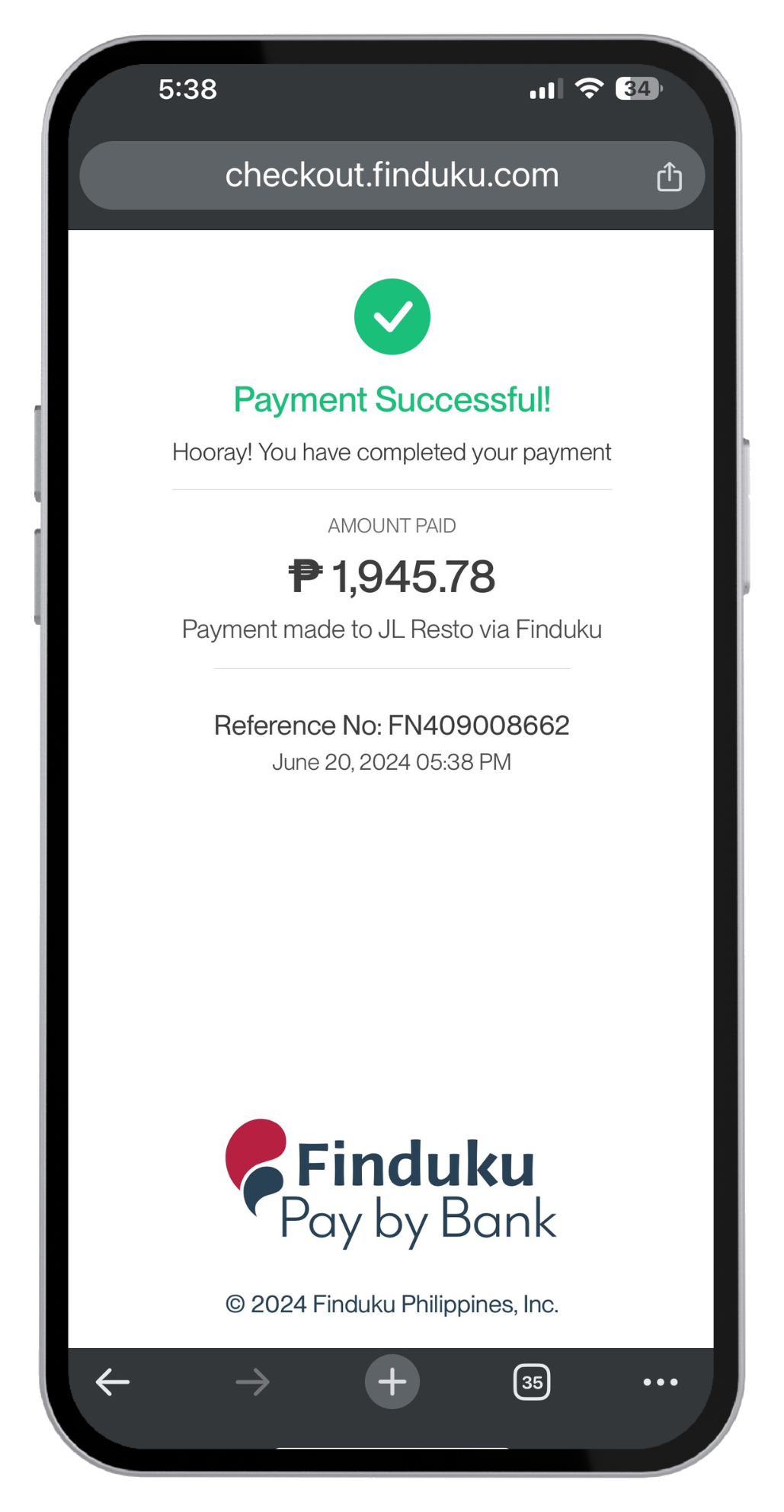
Customers pay from their bank account at checkout, approving the payment in their own banking app. No card details are entered, stored, or transmitted.
Tap and Scan In Person
Customers pay in person straight from their own banking app — tapping their phone at the counter, or letting the merchant scan the code their bank app presents.
Business Payments
Settle supplier invoices and recurring bills from a company account, with the invoice reference carried on the payment so it reconciles on both sides.
Settlement & Payouts
Track every payment from authorization to settled funds, with payout schedules, holds, and a running balance the merchant can reconcile against.
Refunds & Reversals
Return funds to the originating account with the same traceability as the original payment, including partial refunds and failed-payment reversals.
Developer API & Webhooks
A documented API, SDKs, and signed webhooks so a merchant's own checkout, invoicing, or ERP system can initiate payments and react to status changes.
<How Pay by Bank Works/>
The customer authorizes the payment in their own banking app, and the money moves between banks — with no card in the middle.
Customer stays in their bank
Instead of entering card details on a merchant's page, the customer approves the payment inside the banking app they already trust. Credentials never touch the merchant or the network.
Money moves bank to bank
The payment settles over existing interbank rails rather than card networks, so there is no interchange to pay and no card issuer taking a share of the sale.
Authorized, not disputed
Because the account holder approves each payment directly, the transaction carries the bank's authorization rather than a card credential that can be stolen, reused, or charged back.
The same network powers consumer checkout and business-to-business settlement — including the spend mandates behind Xpendee, which runs on Dukupay through the same public API any other product would use.
<How It Works/>
The payment lifecycle and engineering decisions that keep authorization, settlement, and reconciliation reliable.
Architecture Flow
Each payment moves through a seven-step lifecycle, from request to settlement.
- 01
Initiate
The merchant creates a payment request through the API, a payment link, or at the counter, with the amount, reference, and the account it should settle to.
- 02
Validate
The network checks the request before it reaches the bank: merchant status, amount limits, duplicate detection, and risk rules, so bad instructions fail early rather than mid-flight.
- 03
Authenticate
The customer is handed off to their own bank, where they sign in and confirm the payment using the credentials and security their bank already requires.
- 04
Authorize
The bank approves the payment and returns an authorization to the network, which records it against the payment and notifies the merchant immediately.
- 05
Clear
The instruction moves over the interbank rails, with the network tracking its state and handling retries, timeouts, and failures rather than leaving them silent.
- 06
Settle
Funds land in the merchant's account, the payment is marked settled, and the balance available for payout is updated.
- 07
Reconcile
Each payment is matched to its bank record end to end, so the merchant's ledger, the network's record, and the bank statement agree without manual matching.
Engineering Decisions
The system choices that keep payments safe, recoverable, and consistent across every connected bank.
Every payment is idempotent
Payment initiation, status callbacks, and retries are keyed so the same instruction can arrive many times and only move money once. Network timeouts and duplicate webhooks are expected conditions, not incidents, because the alternative in payments is charging someone twice.
State machine, not status flags
A payment moves through explicit, enumerated states with only legal transitions between them. Nothing infers position from a boolean, so a payment stuck between authorization and settlement is visible and recoverable rather than silently lost.
Banks behind one interface
Every bank differs in protocol, timing, and failure behavior, so each sits behind an adapter implementing the same contract. Adding a bank is an adapter, not a rewrite, and merchant-facing behavior stays identical no matter which bank the customer uses.
<Technology Stack/>
The technologies, frameworks, and standards used to build the product.
Backend & Data
- Django
- PostgreSQL
- Celery
- Redis
- Google Cloud Run
- Docker
- Google Cloud SQL
- Google Cloud Storage
- Gunicorn
Security & Cryptography
- OAuth 2.0 / FAPI 2.0
- mTLS
- JWT/JWS
- HMAC-SHA256
- Google Cloud KMS
- Google Secret Manager
Frontend & Mobile
- Next.js
- React
- JavaScript
- RTK Query
- REST API
- React Native (Expo)
API & Integration
- Instapay API
- PesoNet API
- Webhooks
- Resend
- Google Cloud Pub/Sub
<Project Highlights/>
- 01
Cost without the card rails
Payments settle bank to bank, so interchange never enters the merchant's cost per transaction.
- 02
Authorized at the source
The account holder approves each payment in their own bank, removing stored card data and chargeback exposure.
- 03
Reconciles by construction
Every payment traces to the bank record behind it, so merchant books and bank statements agree without manual matching.